MidDevon Digital builds bespoke customer and client portals for businesses in Devon and across the UK. A secure login where your customers see their own jobs, documents, invoices and bookings, send you what you need, and get answers without a phone call. Branded to your business, and yours to keep.
Customer portals that stop the phone ringing with questions you've already answered
What a customer portal is, and what it does for a business
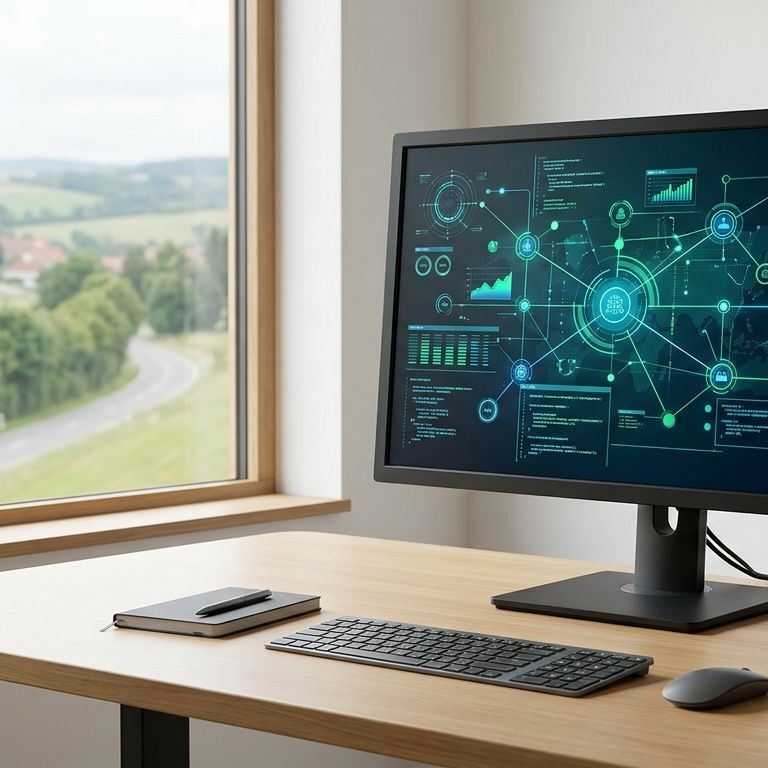
A customer portal is a private, password-protected area of your website where each customer logs in to see their own information: the status of their job or order, documents and certificates, invoices and payments, bookings and messages. It replaces the emails, phone calls and "can you just send me" requests that take up the office's day.
Most businesses already have the information their customers keep asking for. It's in the job system, the accounts package, a shared drive and someone's inbox. A portal puts it in one place the customer can reach themselves, which saves the office time and makes the business look more organised than the competitor who still sends PDFs by email.
Customers see only their own information
Each login is tied to a customer account. A client sees their sites, their jobs and their invoices, and nothing belonging to anyone else. Larger clients can have several users with different permissions.
Documents and certificates in one place
Gas safety certificates, RAMS, method statements, reports, signed contracts. Uploaded once by you, or generated by the system, and always available to the customer without asking.
Requests and approvals without email chains
Customers raise a request, approve a quote, book a slot or report an issue through the portal, and it lands in the right place on your side with everything you need attached.
Connected to what you already use
Invoices from Xero or Sage, jobs from your job management system, bookings from your calendar. The portal reads from the systems you already run rather than becoming another one to update.
We build customer portals for businesses in Cullompton, Tiverton, Exeter, Taunton and across Devon and Somerset, and for clients across the UK over Zoom. Web design and software in Exeter →
Who a customer portal is for
If your office answers the same questions every day, a portal pays for itself in staff time within months.
Commercial services with repeat clients
Cleaning, facilities, maintenance and security firms whose clients want to see what was done, when, and by whom, without ringing to ask.
Trades and contractors with certificates to hand over
Heating engineers, electricians, fire and security installers. Certificates, reports and reminders available to the customer the moment they're issued.
Accountants, advisers and agencies
Clients upload documents, approve work and see what's outstanding. Fewer "did you get my email" calls and a cleaner audit trail.
Suppliers with trade customers
Trade accounts see their prices, order history, invoices and deliveries, and reorder without phoning through.
What a customer portal can do
Every portal is built around what your customers actually ask for. These are the parts most of them need.
Job and order status
Where things are, what's next, what's done. Updated from your side as the work happens, so the customer never needs to ask.
Documents and downloads
Certificates, reports, contracts and invoices stored against the customer and the job, with a record of what's been viewed.
Online payments and statements
Outstanding invoices with a pay-now button through Stripe or your card provider, and a statement they can download themselves.
Requests, bookings and approvals
New job requests, quote approvals, booking slots and issue reports, with notifications to your team.
Messages and notifications
Messages tied to a job rather than lost in an inbox, with email or push notifications when something changes.
Your branding, your domain
The portal looks like part of your business, on your own domain, with your logo and colours. No third-party badge.
What every portal we build includes
The basics that make a portal secure and easy to run are in every build, not sold as extras.
- Secure login with password reset and optional two-factor
- Separate customer, staff and admin roles
- Built on a widely used open-source framework, so any developer can maintain it
- Hosted on its own dedicated server in your name, with a daily database backup
- Mobile-friendly, works in any browser
- Connections to your accounts, job or booking system where needed
- Training for your team before go-live
- Hosting, backups and support on a monthly plan after launch
How a customer portal gets built
Four stages, a fixed price and a timeline agreed in writing before we start.
Step 1
Discovery
What your customers ask for, where that information lives today, and who in the office deals with it. At your place or on Zoom.
Step 2
Scope and fixed quote
The screens, the user types and the connections to your other systems, written down with a fixed price.
Step 3
Build in stages
Login and the customer view first, then documents, payments and requests. You test each piece with a real customer's data.
Step 4
Launch and support
Customers invited in batches, your team trained, then hosting, backups and support on a monthly plan. New features quoted as you want them.
Recent project
Elite Cleaning: a customer login alongside the staff and office system
A Devon commercial cleaning company whose clients wanted to know which sites had been cleaned, when, and by whom. The customer side of the portal gives each client a login for their own sites, with attendance records from the staff app and a place to raise issues. The office answers fewer calls, and the clients have proof of service without asking for it.
Customer portal questions
Can't see yours?
Give us a ring on
01392 346700.
What is a customer portal?
A customer portal is a secure, password-protected part of your website where each customer logs in to see their own information: job or order status, documents, invoices, bookings and messages. It gives customers answers without a phone call and gives your office one place to keep everything a customer might ask for.
How much does a customer portal cost?
It depends on how many types of user there are, what the portal shows, and which systems it needs to connect to. A portal that shows documents and job status is at the lower end; one with online payments, approvals and accounts integration is at the upper end. You get a fixed quote in writing after a free discovery call.
How long does a customer portal take to build?
It depends on what the portal needs to show, what it connects to and our workload at the time, so the timeline is set in your quote rather than quoted as a standard figure. Connecting to accounts or job systems is usually what adds time, and we build in stages so you can test the customer view early.
Can it connect to Xero, Sage or our job system?
Usually, yes. We regularly pull invoices from Xero and Sage, jobs from existing job management systems and bookings from calendars, so the portal shows live information without anyone re-typing it. We confirm what's possible during discovery.
Can customers pay invoices through the portal?
Yes. Outstanding invoices can be shown with a pay-now button through Stripe or your existing card provider, with the payment recorded against the invoice. Your payment provider's processing fee applies as it would anywhere; there's no platform fee from us.
Is a customer portal secure?
Each customer has their own login and sees only their own records. We use proven, well-tested login and security code, encrypted connections, optional two-factor login and a daily database backup, and the portal runs on its own dedicated server in your name. Cyber Essentials is part of how we work.
Do I own the portal?
Yes. The code and the data are yours, built on open-source technology and hosted in your name. If you ever wanted another developer to look after it, they could.
Other systems we build
Tired of answering the same questions?
Tell us what your customers keep asking for and we'll show you what a portal would look like, with a clear quote.